The Typical Appearance of Onion Sites
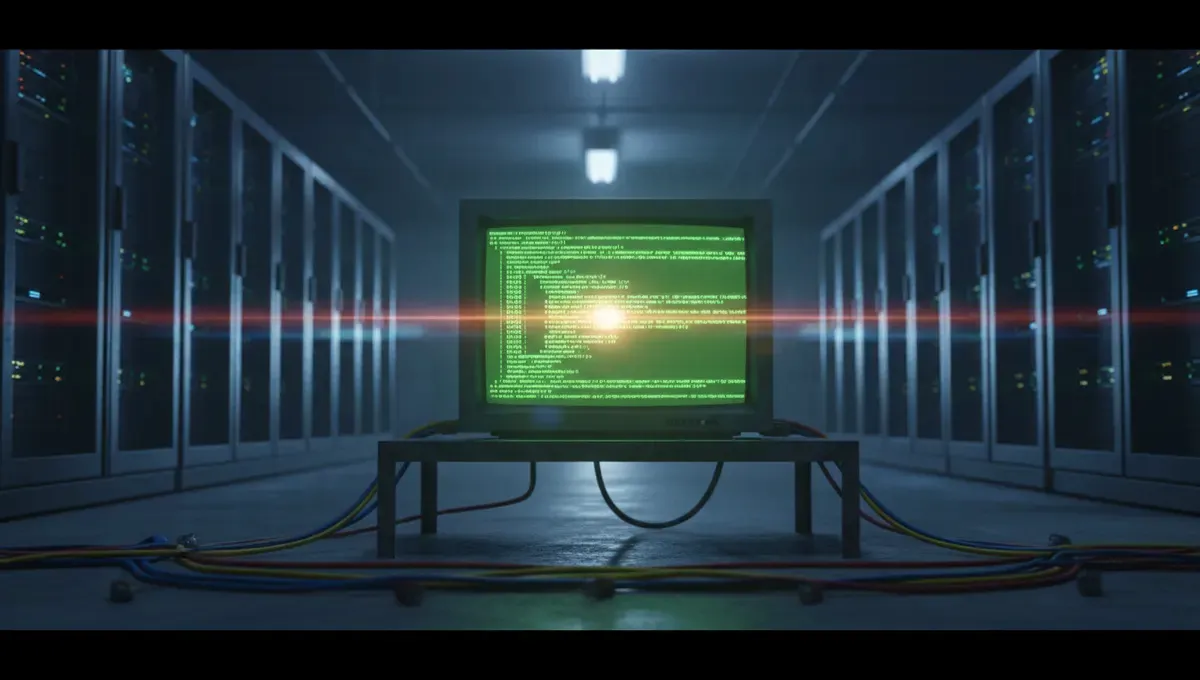
Most dark web websites resemble the internet from the 1990s. You'll see plain text, basic tables, monospace fonts, and few images. The reason is practical: heavy graphics and JavaScript increase the attack surface and slow down Tor connections. A legitimate marketplace or forum usually displays its onion address prominently at the top, often with a PGP public key fingerprint for verification.
Colors are often stark: black backgrounds with white or green text, or white backgrounds with minimal styling. Navigation menus are simple lists of links. Forms are functional, not decorated. This stripped-down aesthetic is not a bug; it's a feature. Developers who care about security avoid tracking pixels, external stylesheets, and anything that could leak metadata or compromise anonymity.
Many sites use self-signed SSL certificates, which trigger browser warnings. This is normal and expected on Tor. The certificate warning does not mean the site is dangerous; it means the operator did not pay for a certificate authority to sign it, which is common practice in the anonymity-focused community.
How Phishing Clones Exploit Visual Similarity
Scammers create fake versions of popular dark web sites by copying the HTML, CSS and layout of legitimate ones. A phishing clone looks almost identical to the real site, but the onion address is different. Users who do not carefully verify the address in their browser's address bar can be tricked into entering credentials or sending cryptocurrency to a fake marketplace.
The best defense is to bookmark the official onion address from a trusted source, never click links from forums or chat, and always check the address bar before logging in. Many legitimate sites now display their official .onion address in large text at the top of the page, sometimes with a warning that there are known clones.
Phishing clones typically appear within days of a site going offline or after a high-profile arrest. If a marketplace you used suddenly looks different or loads from an unfamiliar address, assume it is a clone and do not interact with it. Verify any address against PGP-signed announcements from the site's official channels.
Text-Heavy Layouts and Navigation Patterns
Dark web forums and marketplaces rely on text-based navigation. You will see long lists of links, often organized by category. Product listings are plain HTML tables with columns for name, price, and vendor rating. User profiles show join date, post count, and reputation score, all in simple text.
Search functionality is basic. Many sites use simple keyword matching rather than complex algorithms. This keeps the server load low and reduces the chance of database queries being exploited. Some sites do not have a search function at all and require users to browse categories manually.
The lack of visual hierarchy can feel overwhelming at first. There are no hero images, no call-to-action buttons, no animations. Everything competes for attention equally. This forces users to read carefully and think about what they are doing, which is intentional. The friction discourages casual browsing and helps protect users from impulsive mistakes.
Reality Layer: How Onion Site Design Reflects Security Constraints
According to Tor Project documentation, JavaScript is disabled by default in Tor Browser to prevent deanonymization attacks. This means dark web sites cannot use interactive features that rely on client-side scripting. Developers must work within this constraint, which is why most onion sites look static and text-driven.
Court records and law-enforcement press releases show that visual design has been used as evidence in prosecutions. Operators who customized their site's appearance, added unique graphics, or used distinctive color schemes made themselves easier to identify and track. This is why successful long-running sites tend to use generic, forgettable designs that could belong to anyone.
Security-vendor incident reports document that phishing attacks on dark web users have increased as sites have become more popular. The visual similarity between legitimate sites and clones is a major attack vector. Users who expect dark web sites to look unprofessional are more vulnerable to clones that add slightly more polish, which can make them seem more trustworthy.
This matters to you because understanding the design constraints helps you distinguish between a legitimate site that looks basic by necessity and a phishing clone that looks basic because it was copied quickly. A site that loads slowly, has no images, and uses plain HTML is likely genuine. A site that suddenly looks polished or has new graphics may be a fake.
Common Visual Elements You Will Encounter
Most dark web sites include these standard elements:
- An onion address displayed in plain text, often repeated multiple times
- A PGP public key or key fingerprint for verifying messages
- A disclaimer that the site is not responsible for user conduct
- Links to mirrors or backup addresses
- A status message or news section at the top
- User login forms with username and password fields
- A simple footer with links to rules, FAQ, or contact information
Marketplaces add product listings with vendor names, prices, and user ratings. Forums add thread titles, post counts, and timestamps. Chat sites add usernames and message timestamps. None of these elements are visually enhanced. They are presented as plain data.
Some sites use ASCII art for headers or dividers. This is a stylistic choice that adds personality without requiring images or complex styling. You might see a simple ASCII logo or border made from text characters like dashes, pipes, and equals signs.
Recognizing Legitimate Sites vs. Abandoned or Fake Ones
A legitimate dark web site typically shows signs of active maintenance. The timestamp on posts or listings is recent. The site loads consistently and does not return errors. The onion address matches what you verified from a trusted source. The PGP key fingerprint is the same as the one you saw weeks or months ago.
Abandoned sites often display old content, have broken links, or return 404 errors. They may have been seized by law enforcement, abandoned by their operators, or replaced by a phishing clone. If a site you used regularly suddenly looks different or the address has changed, verify the new address through multiple independent sources before trusting it.
Fake sites often have subtle differences: a slightly different onion address (one character off), missing or incorrect PGP keys, or new content that does not match the site's history. Some clones are obvious because they have been hastily copied and have broken links or missing pages. Others are sophisticated and require careful verification to detect.
Best dark web websites 2025 and beyond will continue to prioritize anonymity and security over visual appeal. If you find a dark web site that looks like a modern web application with animations, tracking, and external resources, it is either a phishing clone or operated by someone who does not understand the security implications of their design choices.
What to Do If Your Information Is Found on the Dark Web
If you discover that your personal data or credentials have been posted on a dark web site, take these steps:
- Change your passwords immediately, starting with email and financial accounts
- Enable two-factor authentication on all important accounts
- Monitor your credit reports and consider placing a fraud alert
- Document the URL, the content, and the date you discovered it
- Report the breach to the relevant company or platform
- Check if a data breach notification service has already flagged the leak
Do not attempt to contact the site or negotiate with the person who posted your data. Do not assume the data is accurate; sometimes leaked files contain duplicates, corrupted records, or fabricated entries.
If you are a business, document the breach and consult with legal counsel about notification requirements. Many jurisdictions require companies to notify affected individuals within a specific timeframe. Dark web monitoring services can alert you to leaks, but they are not a substitute for strong passwords and two-factor authentication.
The visual appearance of the site where your data appears is irrelevant. What matters is acting quickly to secure your accounts and limit the damage. Whether the site looks professional or amateurish, the data is real and the risk is the same.
Next Steps: Verifying Addresses and Staying Safe
Before visiting any dark web site, verify its address through multiple independent sources. Check the site's official social media accounts, PGP-signed announcements, or the Useful Resources page on this site. Never rely on a single link or recommendation.
When you visit a site, take a moment to examine it visually. Does it match what you expected based on previous visits or descriptions. Is the onion address exactly what you verified. Are there any signs of tampering or unusual changes.
Bookmark the official address in your browser and use that bookmark every time. Do not click links from forums, chat rooms, or other users. This single habit will protect you from most phishing attacks.
Understanding what dark web websites look like helps you spot fakes and avoid costly mistakes. The visual simplicity is not a limitation; it is a feature that protects both users and operators. By expecting bare-bones design and verifying addresses carefully, you can navigate the dark web with more confidence and less risk.
Frequently asked questions
Why do dark web websites look so outdated
Dark web sites prioritize anonymity and security over aesthetics. Heavy graphics, JavaScript, and external resources increase the attack surface and can leak metadata. Tor Browser disables JavaScript by default, so sites cannot use interactive features. Developers intentionally keep designs simple and text-based to reduce risk and maintain fast load times over Tor.
How can I tell if a dark web site is a phishing clone
Verify the onion address against a trusted source before logging in. Phishing clones use slightly different addresses or copied HTML. Check for PGP key fingerprints and compare them to previous visits. If the site suddenly looks different or the address has changed, assume it is a fake and do not interact with it.
What should I do if I see my personal data on a dark web site
Change your passwords immediately, enable two-factor authentication, and monitor your credit reports. Document the URL and content, then report the breach to the relevant company. Do not contact the site or try to negotiate. Consider using a data breach notification service to stay informed about future leaks.
Are dark web sites with better graphics more trustworthy
No. Sites with polished design, animations, or external resources may be phishing clones or operated by people who do not understand security. Legitimate dark web sites use minimal styling by necessity. Visual polish is often a red flag, not a sign of legitimacy.
Can I use regular browsers to visit dark web websites
No. Dark web sites use .onion addresses that only work through Tor. You must use Tor Browser to access them. Regular browsers cannot resolve .onion domains and will not connect to these sites. Using Tor Browser also applies security settings that protect your anonymity.